What does an AI gateway add beyond direct provider SDK calls?
An AI gateway centralizes routing, provider credentials, retries, usage metering, and observability so teams can control production behavior consistently.
ai gateway
Use an AI gateway to route requests, manage provider integrations, monitor usage, and apply budget controls with observability built in.
Built for teams comparing observability, cost control, and provider operations workflows before rolling out production AI features.
| Metric | Why it matters |
|---|---|
| Provider routing outcomes | Track where traffic goes and why fallback rules trigger. |
| Latency + error rate by provider | Detect instability before it becomes cost or UX debt. |
| Usage and cost by route/project | Measure whether routing actually saves money. |
| Retries and failovers | Monitor hidden spend multipliers in gateway policies. |
Real UI snapshot from AI Cost Board used in production workflows.
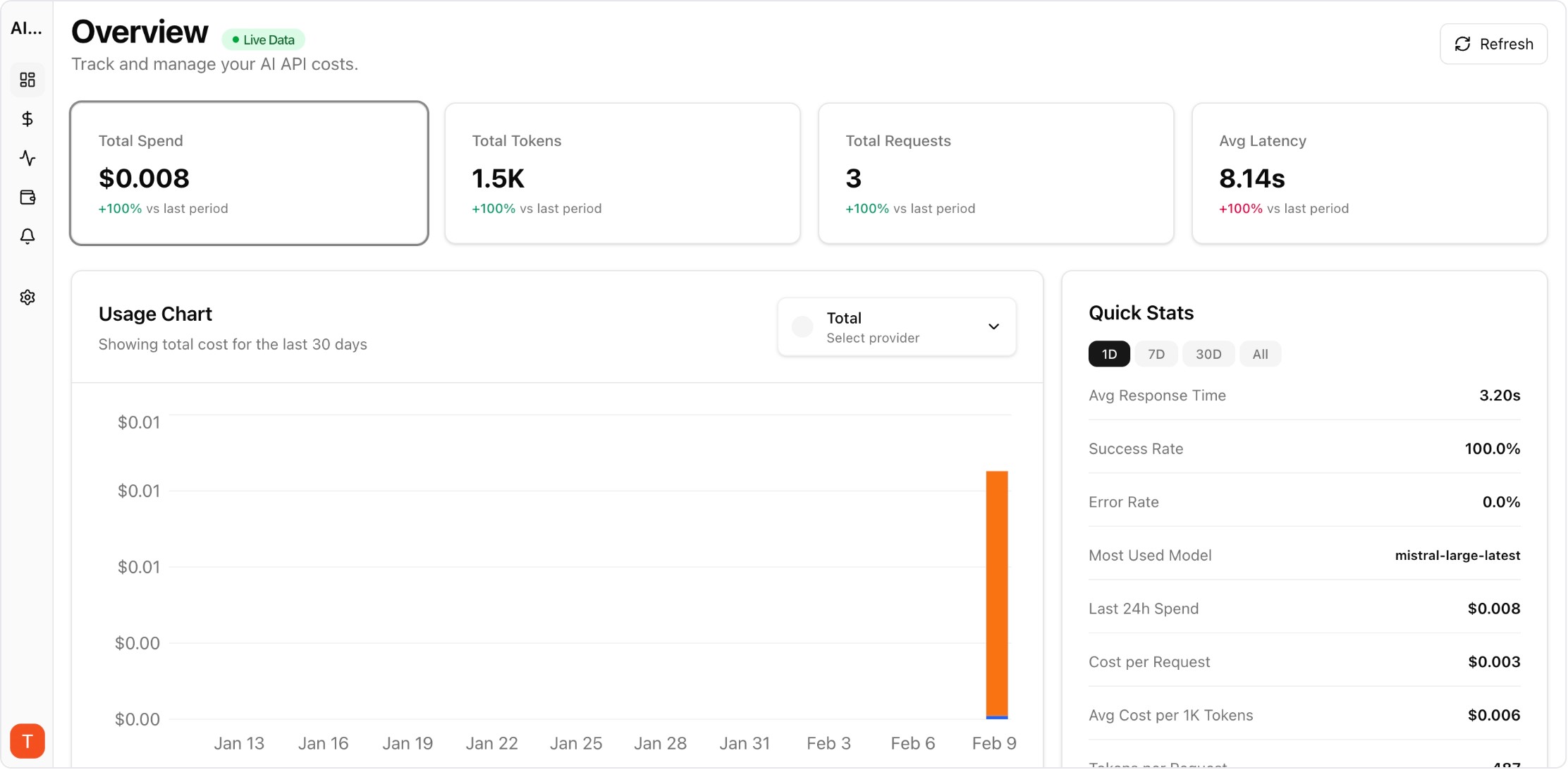
Provider-level drilldown for spend and token economics.
Compare Vercel AI Gateway and AI Cost Board for unified AI API access, observability, and cost governance workflows.
Compare Cloudflare AI Gateway and AI Cost Board for gateway controls, observability, and AI cost governance workflows.
Compare OpenRouter and AI Cost Board for unified model access, routing visibility, and cost governance workflows.
Track retrieval + generation cost, latency, retries, and error patterns for RAG pipelines in production.
Monitor LLM cost, usage, and incidents per client workspace for agencies managing multiple AI deployments.
Apply FinOps discipline to AI API spend with team allocation, variance analysis, forecasts, and governance workflows.
Monitor cost, usage, latency, errors, request logs, and provider performance in one operational dashboard.
An AI gateway centralizes routing, provider credentials, retries, usage metering, and observability so teams can control production behavior consistently.
AI Cost Board supports gateway-style provider integration workflows and focuses on observability, cost control, and governance for production operations.
Start with provider-level latency, errors, retries, cost per route, and traffic distribution across projects and environments.